
Blog › 27 August 2026
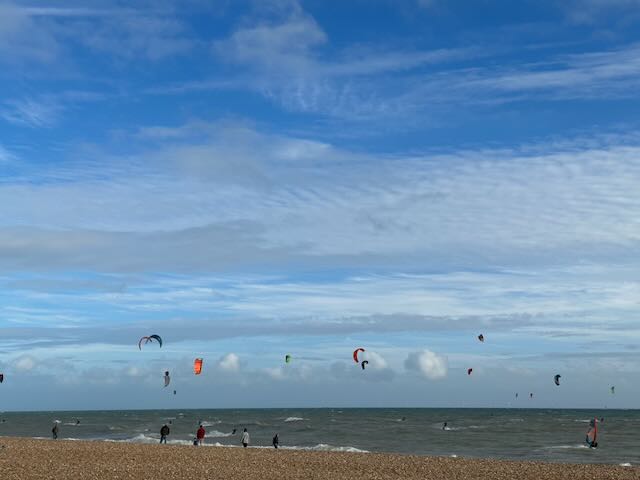
Version 2 is here — the app goes global, and onto your wrist
Thursday 27 August 2026 — London Kitesurfers — by Alan Jay
Version 2 of the London Kitesurfers app is on the App Store now. It is a free update, and it is a big one — the last version we actually released was 1.7.6, so everything built since then arrives at once.
Two things are the headline. The app is no longer only about the south-east coast: you can add a kite spot anywhere in the world and it will be kept topped up with wind, tide and live-station data. And there is now a full Apple Watch app.
Here is the tour.
Community spots — add kite spots anywhere in the world
Drop a pin anywhere on the planet and add a spot in three steps: place it, name it, add the details. Or let the guided builder do it for you — it reads your past GPS sessions and turns the places you have actually ridden into ready-made spots, without duplicating ones you already have.
Every spot is either Private or Shared, and the difference is real. A private spot is yours and collects nothing. A shared spot starts filling with data: a seven-day multi-model wind forecast with per-day direction, tide predictions where the model covers them, and live readings from real weather stations near the beach. All of it appears on the spot page like any LKSA spot.
Sharing has two separate settings, which people do keep conflating. You can share a spot as a link — send it to a friend, and on an iPhone, iPad or Mac with the app it imports itself. Or you can list it publicly, at which point it joins a community map layer that every LKSA user can browse and import with a tap. Listing is a deliberate, separate opt-in.
There are already more than 20 community spots on the map that I have added. The hope is that number grows a lot, because the good version of this is a shared database of local knowledge rather than my holiday photos.
Which is why spots are collaborative. Suggest an edit to any shared spot and safe additions — a wind direction that also works, a missing water type — apply instantly. Bigger changes queue up for whoever created the spot. Every spot carries a version and an “added by” credit, and the creator can see the whole edit history and roll anything back.
A full walkthrough of adding and sharing spots — including the rather good AI trick for filling in a beach you rode once, three summers ago — follows tomorrow.
The Apple Watch app
If you have an Apple Watch, the forecast is now on your wrist.
The spots that matter. Your favourites, today’s best spots, your next planned trip, and the spots around wherever you are actually standing.
Live wind from nearby weather stations, with direction and the time of the reading — and a red OFFSHORE warning when the wind is blowing off the beach.
Today and tomorrow’s forecast for any spot, plus a map of the spots on the watch itself.
Two complications for your watch face: today’s best spot, and your next trip.
The watch fetches its own data over Wi-Fi or mobile, so it works with your phone switched off or left in the car.
It also records a session: time, distance, speed, runs and turns, counted live as you ride, saved to Apple Health when you finish. On the water it is an easy way to check how long you have been out and what the tide is doing. It keeps your last five sessions, with the track drawn on the watch and the wind for that location.
One honest limitation: it does not measure jumps. You can leave LKSA recording in the background and use something like Hoolan or Surfr for jump tracking at the same time — and if those apps write their workout to Apple Health, LKSA can import the session afterwards.
Sessions — a logbook, not just a tracker
The Sessions section has become a proper record of your kitesurfing.
Sessions come in from Apple Health, from GPX files, or you can enter one by hand when you forgot to press record. GPX from Woo, Surfr, Zef, Hoolan, Garmin, Strava and most other things will import.
Each session opens on an analysis view: your track on the map, runs, tacks and gybes, top speeds, time spent planing, gybe efficiency, and a wind estimate derived from the GPS alone. Alongside that sits the record of where you have kited — spots, places, countries and continents.
Everything syncs privately between your Apple devices over iCloud. Heart rate comes across with Health imports. Sessions are stored about 85% smaller than they used to be, and there is a one-tap Compact Storage in Settings if you have years of tracks to shrink.
Better seven-day forecasts
Every spot — LKSA or community — now carries the LKSA multi-model forecast for up to seven days.
Rather than trusting one model, it compares five global weather models plus MET Norway, and draws the LKSA weighted forecast alongside them. You get the next two days under the hourly slider and a full seven-day page behind it.
The point is not the extra lines. It is that you can see how much the models agree. When all six sit on top of each other, the forecast is about as good as forecasts get. When two of them are 8 knots apart, you have learned something a single tidy number would have hidden from you.
Windguru, including PRO
Windguru is now properly built in. Search for a spot inside the app and it picks up the Windguru ID automatically. Use the normal public forecast, or, if you have a Windguru PRO account, sign in once in Settings and see your PRO models and extended range without leaving the app.
The sign-in is a normal windguru.cz login in a web view and the session stays on your device — LKSA never sees the credentials.
Live wind
We now show what the anemometers are actually reporting, not just what the models predict. For each spot you can compare the forecast against nearby stations, each reading labelled with which station it came from, how far away it is, and how recent it is — because a station four miles inland at a different exposure is guidance, not gospel.
There is a Live Wind overview as well, which is the quickest way to compare today’s forecast against what is really happening across the best spots. The live-vs-forecast graph now covers the full day rather than only part of it.
Trips and travel
Trips can now be planned to any spot — LKSA or community, anywhere in the world. The spot picker sorts either by best-for-the-day or by nearest to you.
New in this release is Travel mode: one switch that turns LKSA into a travel companion. The map opens on where you are, community spots near you are shown, and the usual London-focused alerts go quiet so your phone stops telling you about Camber while you are in Greece.
And on the Mac
The app runs on macOS too, with spots, trips and the session log syncing through iCloud between Mac, iPhone and iPad. Nearly all of version 2 is there: community spots, worldwide spots, multi-model forecasts, live wind, Windguru and PRO, session analysis and Travel mode.
The Watch recording and Apple Health import are handled by the iPhone and Watch, for obvious reasons. There is a post on the Mac version specifically next week.
Plenty of smaller things
Forecast-accuracy information for every spot in plain English, wind history reaching all the way to today, clearer tide displays, heart rate on Health imports, honest iCloud sync status with any error spelled out, and a long tail of fixes across iPhone, iPad and Mac.
As always: no LKSA account, no LKSA login, no ads, no tracking. Your spots, sessions and trips live on your own devices.
Tell me what’s wrong with it
Please try it and send me feedback, bugs or ideas. I will be at the LKSA drinks on Wednesday 2 September and am happy to answer questions or demonstrate any of it there — otherwise ask in the chat or DM me on WhatsApp.
And if there is something you particularly want — jump tracking on the Watch is the obvious candidate — say so. If you are willing to run a test version so I can see what data the Watch actually produces, I can find out what is possible.
Get version 2 on the App Store →
See you on the beach.
Weather data by Open-Meteo.com, with model data from the Met Office, ECMWF, NOAA, DWD, Météo-France and MET Norway. WindGuru.cz for widgets and PRO forecast embeds. Forecasts and live readings are guidance — conditions on the water are yours to judge.